The Funnel Basics That Turn Attention Into Sales
The funnel basics that turn attention into sales, with simple steps to guide people from interest to action.
Learn tracking that turns ad and content data into clear insights, helping you improve performance with confidence.

Tracking That Finally Makes Your Ads and Content Make Sense
Most people track everything and understand nothing.
They've got Google Analytics installed, the Meta Pixel is firing, and there's a dashboard somewhere showing numbers. But when you ask, "Is this working?", they don't actually know.
The problem isn't the tools. It's that nobody taught them what to track or why it matters.
I'm going to fix that. This isn't a technical deep-dive. It's the bare minimum setup that actually tells you if your marketing is working.

Tracking is just watching what people do after they see your content or ads.
Did they click? Did they visit your site? Did they fill out a form, make a purchase, or sign up for something?
Without tracking, you're guessing. With monitoring, you know.
Here's what you need to understand: events and conversions.
An event is any action someone takes that you decide to measure. A click. A page view. A video watch. A button press. Scrolling halfway down your landing page. All events.
A conversion is an event that matters to your business goal. Not every event is a conversion. A page view might just be someone landing and leaving. But a "contact form submitted" event? That's a conversion, because it's a lead.
You decide what counts as a conversion based on what you're trying to achieve.
If you're running Google Ads for NGO campaigns focused on donations, a conversion might be "donation completed" or "monthly sponsor sign-up." If you're a service business, it might be "quote requested" or "booking confirmed."
The biggest mistake people make is tracking events but not defining conversions. They'll tell me "I got 500 clicks!" but they don't know how many of those clicks turned into anything useful.
Start by defining your conversion. One action that signals success. Then work backwards to track it.

Attribution is just: which marketing touchpoint gets credit for the conversion?
Here's why it matters. Someone might see your Instagram post, not take action. Then they see your Google ad two days later, click it, but still don't buy. Then they return to your site a week later and convert.
Which campaign "worked"? Instagram? Google? Neither? Both?
That's attribution. And honestly, it's a mess.
There are different attribution models, last-click, first-click, linear, time-decay, but for most small teams, here's what you need to know: Last-click attribution is what most platforms use by default.
Last-click means whoever got the final click before conversion gets all the credit. If someone clicked your Google ad and then converted, Google receives credit even if they saw 10 Instagram posts first.
Is that fair? Not really. But it's simple, and it's what you'll see in your ad dashboards unless you change it.
For most beginners, don't overthink this. Use last-click and accept that it's not perfect. Your organic content is doing work that won't show up in the numbers. Your brand awareness campaigns are warming people up, even if Meta or Google doesn't give them credit.
The real lesson here is: don't obsess over attribution models. Just accept that some of your marketing impact is invisible, and focus on tracking the conversions you can see.
When I'm building an ngo digital strategy with limited resources, I tell teams: track last-click conversions, but also ask new leads, "how did you hear about us?" in your form. That manual question often reveals what the data misses.

You don't need a perfect setup. You need one that works.
Here's what "good enough" looks like:
Set up at least one goal or conversion event in GA4 (the current version). That might be "contact form submitted", "checkout completed", or "newsletter sign-up."
If you don't know how to set up a goal, Google's documentation is actually helpful. GA4 event setup guide
The Meta Pixel setup guide walks you through this step by step. It takes 15 minutes.
Example:
yoursite.com/landing-page?utm_source=instagram&utm_medium=organic&utm_campaign=spring2024
This way, when someone clicks that link, Google Analytics knows it came from Instagram organic content, not paid ads or random traffic.
Use a free UTM builder to create these links. Don't guess the format.
If the pixel or tag is installed but conversions aren't showing up, something's broken. Fix it before you spend more money.
That's it. Those four pieces give you 80% of what you need.
You'll know how many people visited your site, where they came from, and how many converted. You'll know which ads drove results and which organic posts sent traffic.
Not perfect. But good enough to make decisions.

Let's talk about the mistakes I see over and over when people run paid ads on Meta, TikTok, or LinkedIn.
Link clicks are not conversions. A click means someone was curious. A conversion means they did something that matters.
If your ad got 500 clicks but zero leads, the problem isn't the clicks. It's what happened after the click. Maybe your landing page is broken. Maybe the offer isn't clear. Perhaps the form is too long.
You can't diagnose this if you're only tracking clicks.
Set up conversion tracking to measure "form submitted" or "purchase completed," not just "link clicked."
I've worked with clients who "installed the pixel" months ago and assumed it was still working. Meanwhile, it broke when they updated their website, and they spent $2,000 on ads with zero tracking.
Test your pixel before every campaign. Meta has a "Test Events" tool that shows you in real time whether events are firing. Use it.
Vanity metrics are numbers that look good but don't drive business results. Impressions. Reach. Page likes. Video views (unless you're selling video ads).
I've seen paid social specialists get excited because an ad reached 50,000 people. Great. How many converted?
If the answer is "I don't know," you're tracking the wrong thing.
Focus on cost per lead or cost per acquisition. If you spent $500 and got 10 leads, your cost per lead is $50. If those 10 leads typically turn into two customers worth $300 each, you made $600 from a $500 spend. That's useful.
Impressions? Not useful unless you're running pure brand awareness campaigns with no conversion goal.
If you're retargeting people who have already engaged with your content, those conversions should be tracked separately from conversions from cold audiences.
Why? Because retargeting almost always performs better. If you lump everything together, you won't know whether your cold-audience ads are actually working or if retargeting is doing all the heavy lifting.
Tag your campaigns properly. "Cold - Prospecting" vs "Warm - Retargeting." Then compare performance.
This is especially important when you're working on the funnel steps I'm really building toward because cold, warm, and hot audiences behave entirely differently. You need to track them separately to see where the funnel breaks.

Organic tracking is harder because there's no ad platform doing it for you. You have to be intentional.
If you post a link on Instagram, LinkedIn, or in your email newsletter without a UTM tag, Google Analytics will label it "direct traffic" or lump it into a vague category.
You'll have no idea which post or email drove the traffic.
UTM tags fix this. Add them to every link you share publicly. It takes 30 seconds per link, and it's the difference between "I think Instagram is working" and "I know this specific Instagram post sent 47 people to my site and 3 of them converted."
Likes, comments, and shares feel good. But they don't pay bills.
I'm not saying engagement is useless. It signals that people care about your content. But if you're running social media marketing for ngo campaigns and your KPI is "comments per post," you're missing the point.
The real question is: did anyone donate? Did anyone sign up? Did anyone visit the website and take action?
Track the action, not just the noise.
One way to do this is to include a call-to-action link in every high-engagement post and track clicks via UTM. If a post gets 200 likes but only three clicks, you know engagement didn't translate to intent.
I've had clients tell me "we got 50 leads this month!" and when I dig in, 30 of them were bot submissions, 15 were people asking random questions, and 5 were actual prospects.
That's not 50 leads. That's five leads and 45 distractions.
Define what a lead is before you start tracking. A lead is someone who fits your target audience and has taken an action that signals purchase intent.
For a consultant, that might be "requested a proposal." For an e-commerce brand, it's "added to cart" or "started checkout." For a nonprofit, it might be "fill out the volunteer interest form."
Once you define it, track only that. Everything else is noise.
Sometimes people see your content, don't click anything, and then show up in person or call you directly.
This happens all the time with local businesses and nonprofits. Someone sees your Instagram post about an event, doesn't click the link, but shows up to the event.
Your analytics will show zero conversions from that post. But it worked.
This is why I mentioned earlier: add a "how did you hear about us?" field to every form, and ask the question when people call or show up. Manual tracking fills in the gaps that pixels miss.
When I'm consulting on ngo digital strategy, this is huge. Older donors, especially, will see a Facebook post, not click it, and mail a check. If you're only looking at digital conversions, you'll think Facebook isn't working. But it is.
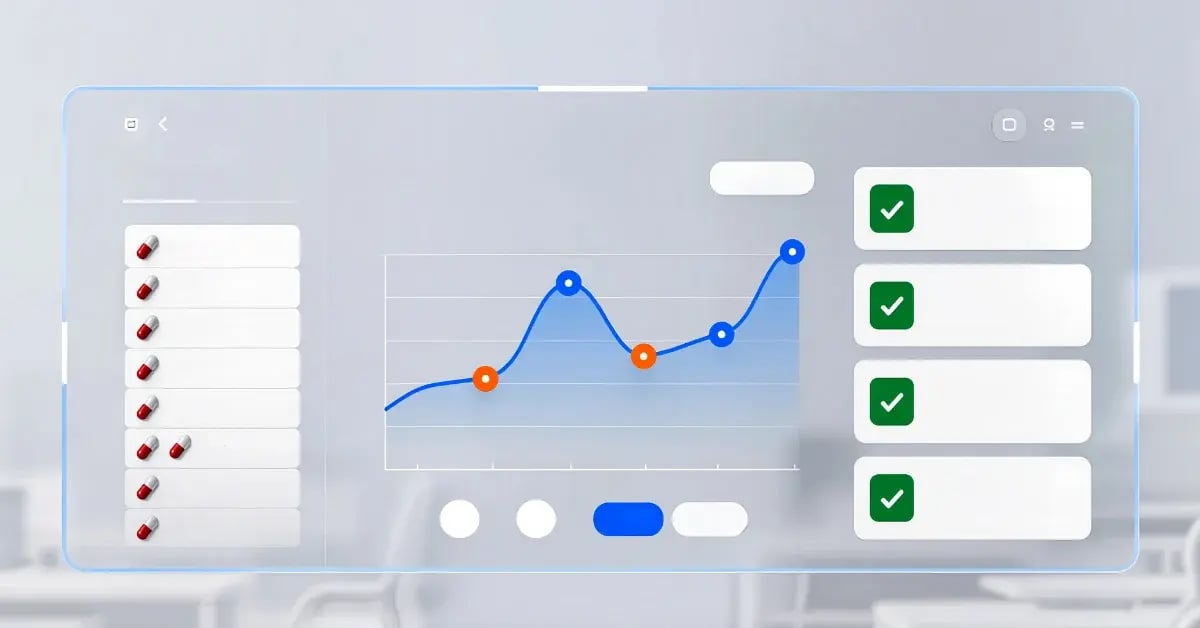
When your tracking is clean, you can finally make intelligent decisions.
You'll know which ads to turn off because they're burning money. You'll know which organic posts to boost because they're driving real traffic. You'll know whether your landing page is the problem or the audience.
You can also start reporting that doesn't hide the truth, which matters if you're working with a team, a boss, or a client. Clean tracking makes reporting easy because the numbers actually mean something.
And here's the thing: good tracking doesn't just help you optimise what's working. It enables you to kill what's not.
I've saved clients thousands of dollars just by showing them which campaigns were delivering zero conversions. They thought the ads were "doing okay" because clicks looked fine. But clicks weren't converting. Once we saw that clearly, we cut those campaigns and reallocated the budget to what was actually working.
That's the power of tracking. Not analytics for the sake of analytics. Tracking that helps you make decisions.

Here's your bare minimum checklist. Do these five things, and you'll be ahead of 70% of people running marketing right now.
That's it. Don't overcomplicate it. Just get those five things done.
If tracking is entirely new to you and this feels overwhelming, start with the plan I built before I track anything. You need to know what you're trying to achieve before you can measure whether it's working.
I'll be honest with you. Tracking breaks sometimes.
You update your website, and the pixel stops firing. You switch email platforms and forget to add UTM tags. You launch a campaign and realise three days later that conversions aren't being recorded.
It happens. Don't panic.
The key is to catch it early. Check your tracking every week, especially after you make changes to your site or tools.
Set a recurring calendar reminder: "Check tracking." Every Monday. Takes five minutes. Open Google Analytics, open your ad dashboards, and make sure conversions are showing up.
If something's broken, fix it before you spend more money. There's no point running ads if you can't measure what they're doing.
And look, even with perfect tracking, some stuff will be invisible. Offline conversions. Word of mouth. Someone who saw your ad didn't click, but Googled you later and bought.
That's fine. You're not trying to track every single interaction. You're trying to track enough to make good decisions.
Perfect tracking doesn't exist. Good enough monitoring does.
If your tracking isn't set up yet, this week's job is simple: get the basics live.
Install Google Analytics. Set up one conversion goal. Add UTM tags to your links. Check that your pixels are working.
Once that's done, the next step is knowing what to post when you want, because tracking is only helpful if you're creating content and ads worth tracking in the first place.
And if you're already running campaigns but you're not sure if the tracking is giving you the whole picture, the next thing to read is where tracking fits into a real funnel. Attribution gets messy when you're running multi-stage funnels, and understanding the stages helps you set smarter conversion goals.
Tracking isn't exciting. But it's the difference between spending $500 to learn something and spending $500 and hoping for the best.
Get it set up once. Check it weekly. Let it do its job.
The funnel basics that turn attention into sales, with simple steps to guide people from interest to action.
Learn how to create reports clients actually understand and trust, with clear takeaways and real meaning behind the data.
A practical guide on what to post when you want leads, not likes, with content ideas that drive real action.